
McCormick County Traffic Search Starts with Citation
Begin with the ticket number and court name, not a general warrant list. The state portal searches eligible Summary Court tickets and some Municipal Court traffic records. Its result can help locate a citation or payment trail, but it does not say whether a missed-date warrant was issued or recalled.
If the ticket is missing, use the name-and-date or driver's-license route only on the official state form. Then call the court shown in the record for the status of any later process.
Traffic Warrants in McCormick County
A missed traffic or Summary Court date can lead to court process, but the exact result depends on the citation, notice, and issuing court. The official ticket portal does not label every result as a warrant and does not say how quickly a warrant is issued. Use the citation and court name to find the right office.
McCormick Magistrate hears traffic matters and says eligible tickets may be paid online. The current state municipal-court roster did not show a McCormick entry, so do not assume a town citation belongs to a named municipal court or payment window. Ask the Town or Magistrate to confirm the route.
McCormick County Portal Has Three Search Routes
The official portal requires different details for each search type. A citation number is the narrowest input when the ticket is available. The other routes require a driver's-license number and state, or first name, last name, and date of birth. No person-level result is needed to learn these controls.
| Portal route | Required fields | Local use |
|---|---|---|
| Citation | Citation number, up to 20 characters | Use the ticket's printed number |
| Driver's license | License number and state | Search eligible ticket records |
| Name | First name, last name, date of birth | Use the exact court route shown by the result |
The field requirements come from the official Traffic Ticket Search.
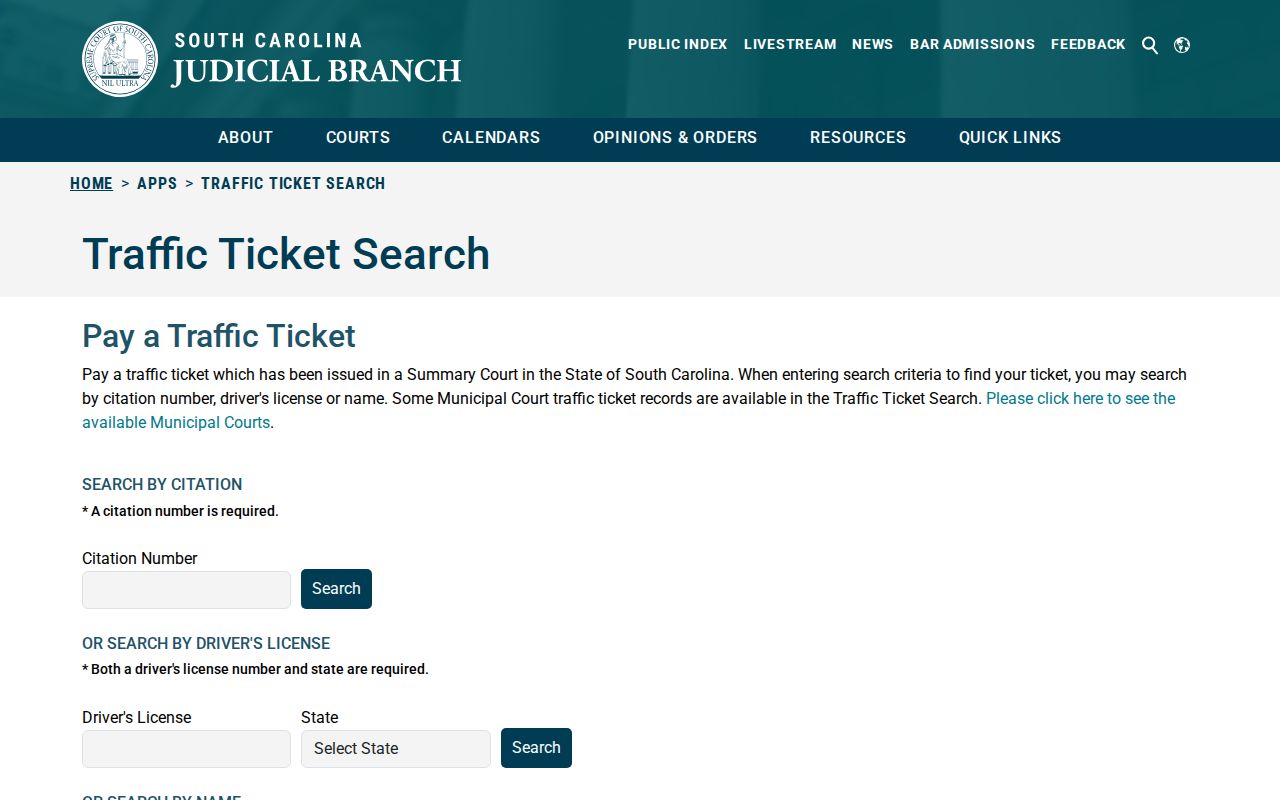
Choose an input that matches the ticket and review the court named in the returned citation record.
The portal’s three search routes are entry points to eligible ticket records, not to a person’s complete court history. If the case does not appear, confirm that the citation belongs to a covered court and that the entered number or identifying details are correct. Do not switch to SLED CATCH to answer a warrant question; that product expressly excludes wanted-person searches.
How to Check for a McCormick County Traffic Warrant
Use the official South Carolina Traffic Ticket Search to find an eligible citation, then call the McCormick Magistrate if the result shows a missed date or does not explain the court action. The portal covers Summary Court tickets and some Municipal Court traffic records. It is not an active-warrant database, so a citation result must be confirmed with the issuing court.
- Search by citation number when it is available; the field accepts up to 20 characters.
- If the citation number is missing, use the driver's-license number and state, or first name, last name, and date of birth.
- Read the court and payment details shown, then call the Magistrate at 864-852-2316 about a missed date or possible warrant.
- For a General Sessions file, call the Clerk at 864-852-2195. If service is the question, ask the Sheriff's Office to route it.
- Before paying or appearing, confirm the court's current process and keep its receipt or filed order.
McCormick County Magistrate Handles Traffic Cases
The county Magistrate's Office says it hears traffic cases and that traffic tickets may be paid online. Its administrative office is at 211 Augusta Street Extension, McCormick, SC 29835. The listed phone is 864-852-2316, and the published office hours are Monday through Friday, 8 a.m. to 4 p.m. Confirm the current route before traveling.
The Magistrate page also states that office payments use money order or certified check. That detail should not be stretched to every bond or to an unverified town-court citation.
For a traffic matter, ask whether the portal’s online payment option applies to the specific citation and whether the court records a separate appearance or warrant event. The Magistrate’s published payment information describes its own office, while a federal, municipal, or General Sessions case may follow another process. Confirm the payee and receipt method directly before sending money.
When no citation result appears, check the ticket number and printed court. Some municipal tickets are covered, but no McCormick municipal court entry was verified. Ask the Town where the citation was filed; use the Magistrate only after confirming that the case is Summary Court.
McCormick Magistrate's Office
211 Augusta Street Extension
McCormick, SC 29835
864-852-2316
What a Traffic Warrant Shows
The ticket portal can show a citation trail, court, date, and payment information, but research did not verify a traffic-warrant result format or a McCormick citation-number pattern. A blank result may mean the ticket is outside the portal's scope, not that a warrant was recalled. Ask the issuing court to explain any case status.
| Citation identifier | Use the number printed on the ticket; no McCormick warrant format is published. Citation from notice |
|---|---|
| Charge or event | The traffic or Summary Court matter and any missed appearance shown in the case. |
| Issuing court | The court that handles the citation and any later warrant or recall entry. |
| Payment or bond | Use only the amount and method the court confirms for this case. |
| Status | Ask the court whether payment, a new date, service, or recall was entered. |
McCormick County Municipal Court Status Needs Review
The current South Carolina municipal-court roster did not show a McCormick entry during research. The Town has police and dispatch contacts, but that is not proof of a municipal court or its clerk. The statewide ticket portal includes some municipal traffic records without naming a McCormick court on the page reviewed.
If a town citation is involved, ask the Town which court issued it before sending payment or a records request. If the court confirms the matter is in Summary Court, the Magistrate is the verified county contact. Do not invent a town payment window or warrant desk.
The official municipal-court roster is the source for the missing McCormick entry.
Paying or Lifting a Traffic Warrant
First confirm that the issuing court has entered a warrant and ask which option applies. The county Magistrate page says traffic tickets may be paid online and office payments use money order or certified check; that does not set a method for every bond or every town citation. The court must confirm any new date, payment plan, bond, or recall.
- Ask the Magistrate which court has the citation and whether a warrant was issued.
- Confirm the amount, accepted payment method, or appearance procedure with that office.
- Keep the receipt or court order and ask whether the payment changed the warrant entry.
- If you contest the citation or need a new date, ask the court or counsel what filing or appearance is required.
Warning: A ticket payment or online result is not proof of recall. Ask the issuing court whether the warrant entry changed and retain its written confirmation.
McCormick County Payment Does Not Prove Recall
When a citation shows a balance or a missed date, ask the court what action is needed and how it will be recorded. A paid ticket may not by itself answer whether a bench warrant was recalled, whether a separate bond term remains, or whether another court has process. Keep the receipt and call the issuing court to verify its docket.
The Summary Court Bench Book prefers rescheduling after a first missed date in its stated circumstances and treats a bond-violation warrant as discretionary. This does not guarantee a reset for every McCormick ticket. Ask the issuing court which event appears in the docket.
Traffic Warrant vs FTA and License Holds
A citation, a missed-date court entry, and a warrant are related but not identical. South Carolina's official failure-to-appear form uses the term bench warrant. No McCormick-specific license-hold program or automatic release rule was verified. Ask the court whether there is a separate compliance action instead of assuming that paying a ticket changes a license or registration record.
| Mechanism | What Triggers It | What It Does |
|---|---|---|
| Traffic citation | A ticket or eligible Summary Court record | Can be searched and may show payment or court-date details |
| FTA bench warrant | A missed required court setting or stated bond issue | Brings the matter back before the issuing court |
| License or registration hold | No McCormick process was verified in the research | Ask the court or named state office; do not infer it from a ticket result |
No McCormick-specific license-hold or automatic release rule was verified. If a notice names a state office or separate compliance action, confirm its requirements there and ask the court what entry changed after payment or appearance.